Same Video.
Never Twice.
The most powerful AI-powered video scanning and deduplication tool for macOS. Deep scan, intelligently organize, and deduplicate your video collection with a stunning modern interface.
Requires macOS 14.0 (Sonoma) or later · Apple Silicon only
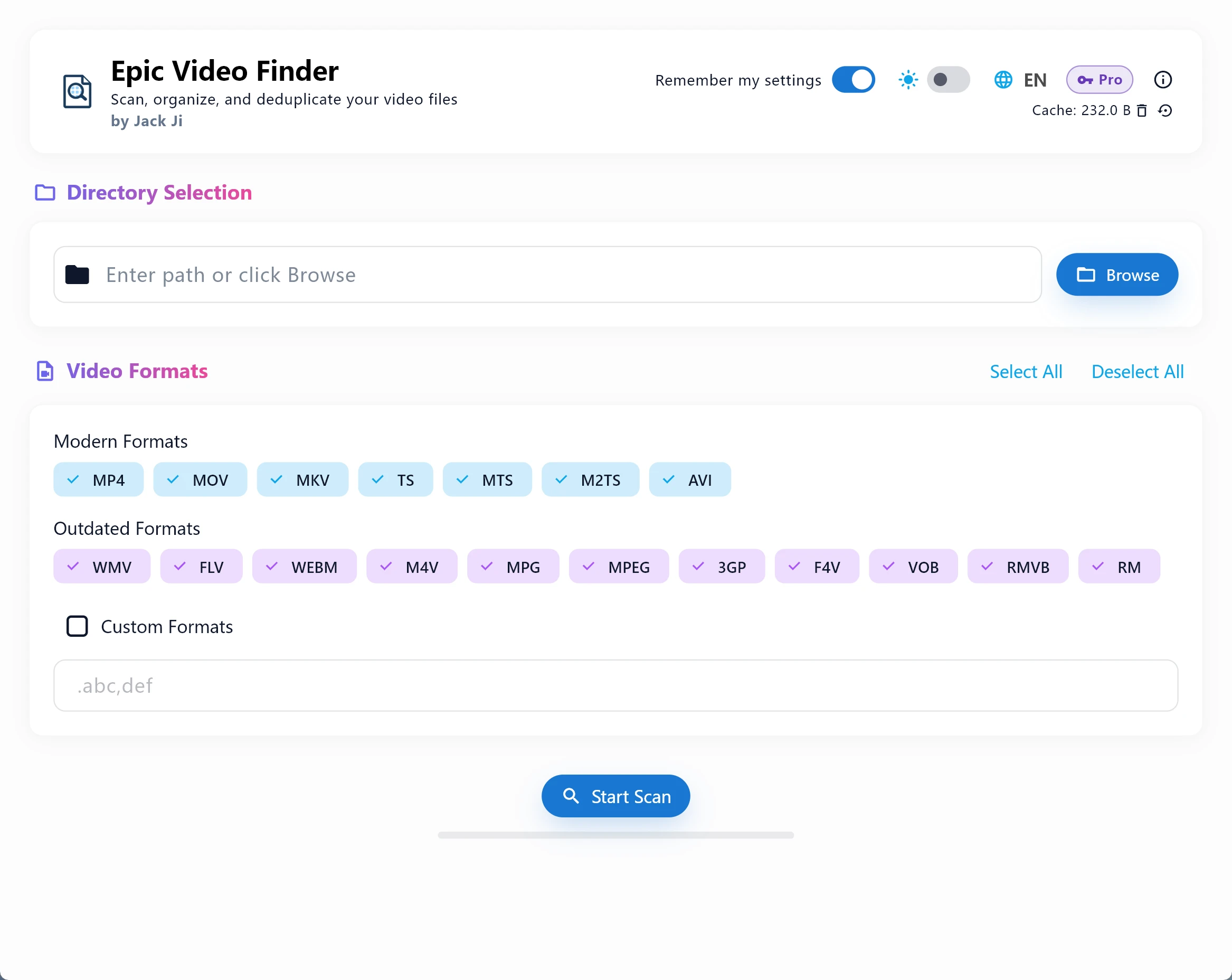
Why It's Different
Flutter-native, Material Design 3. Light and dark themes that switch in a breath — polish isn't optional.
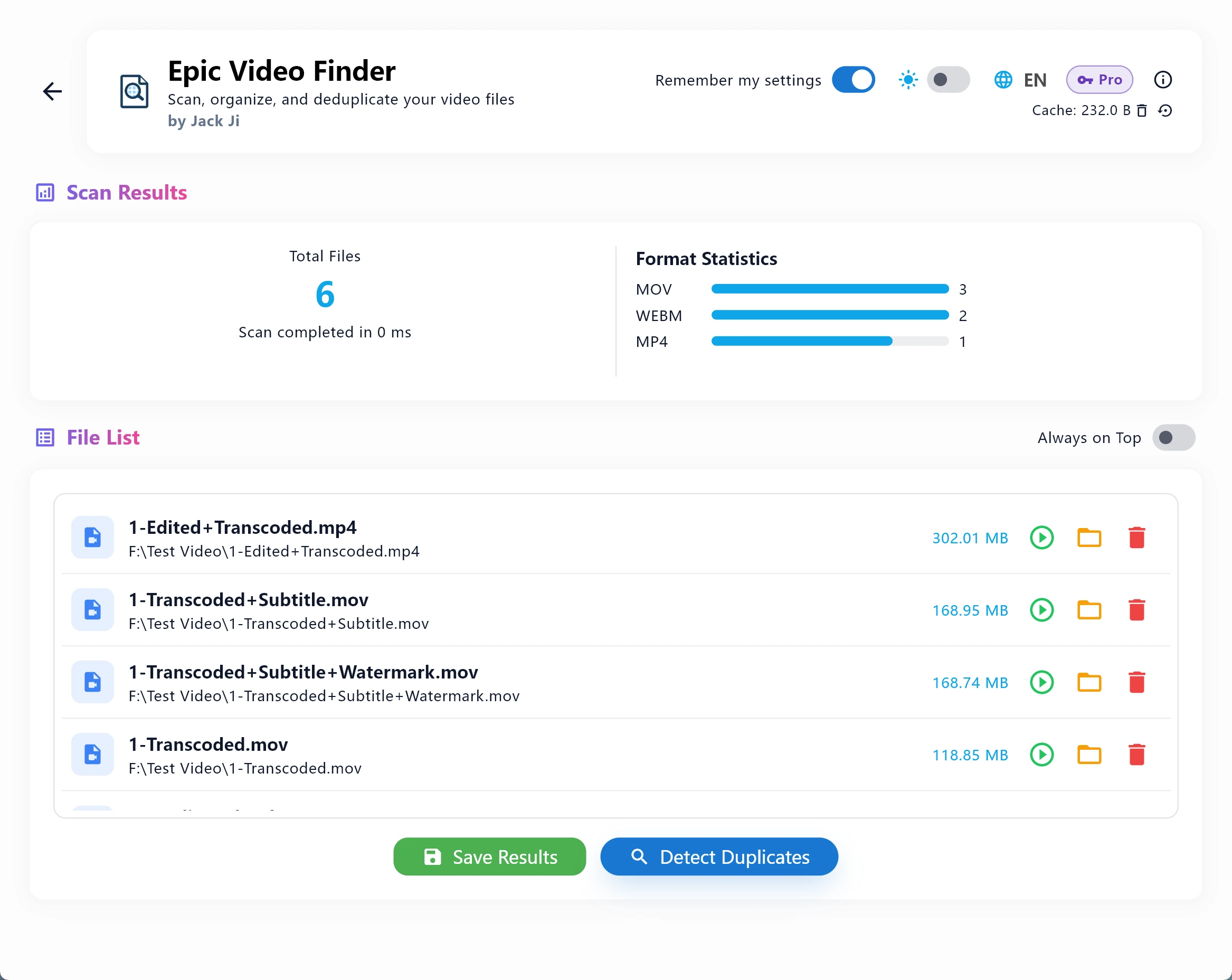
20+ formats, every nested directory, one sweep. No file left behind, no time wasted.
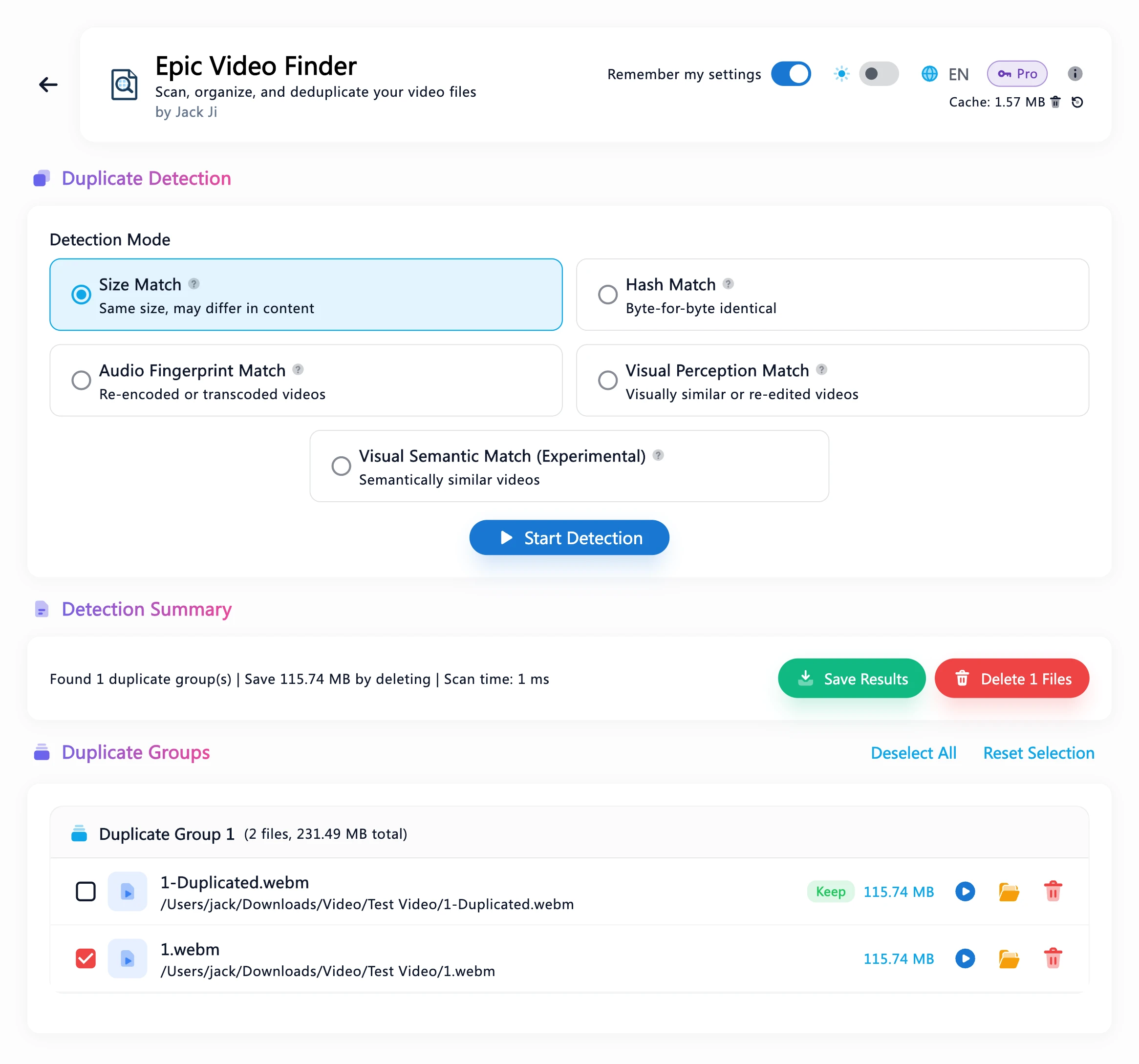
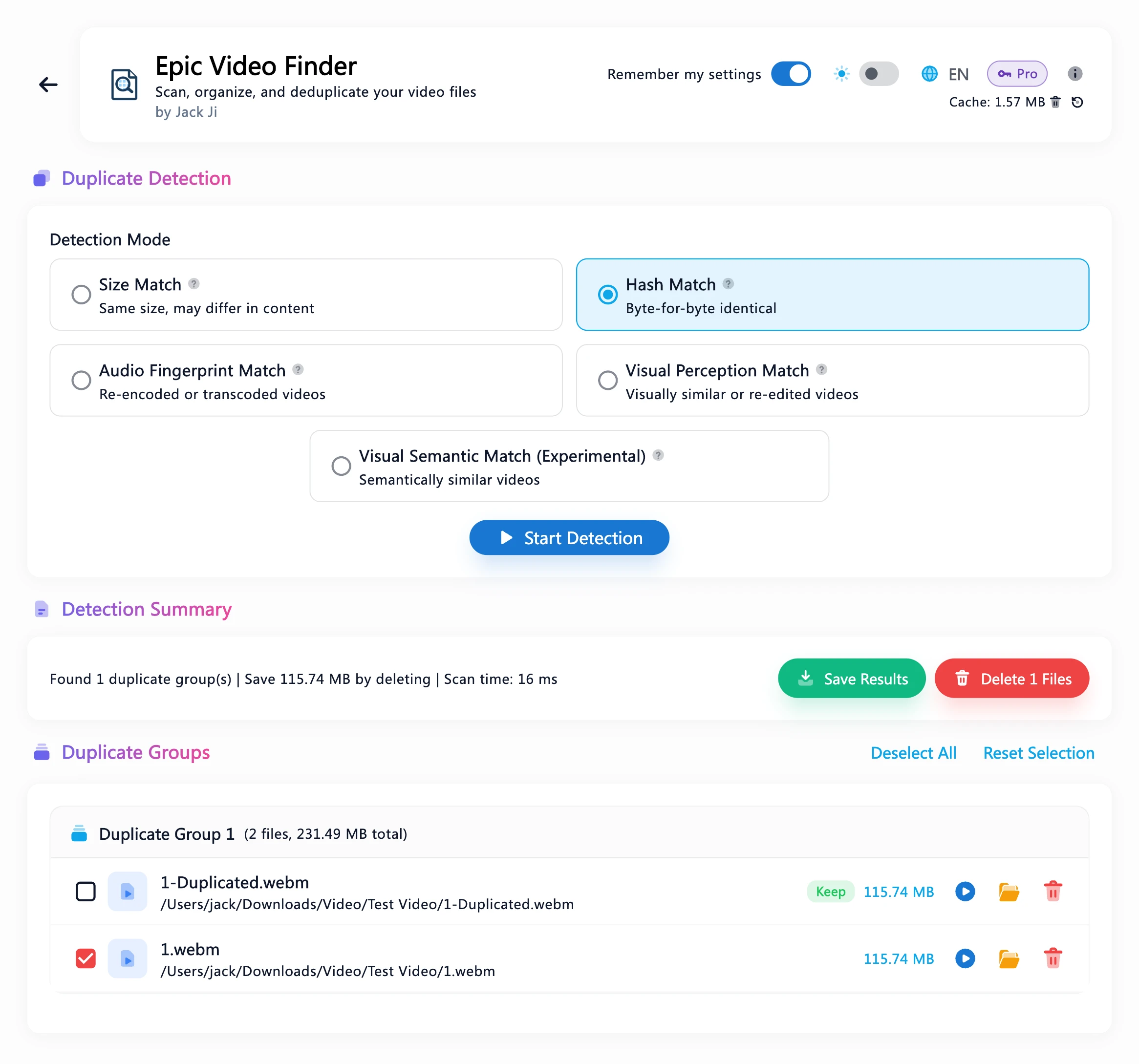
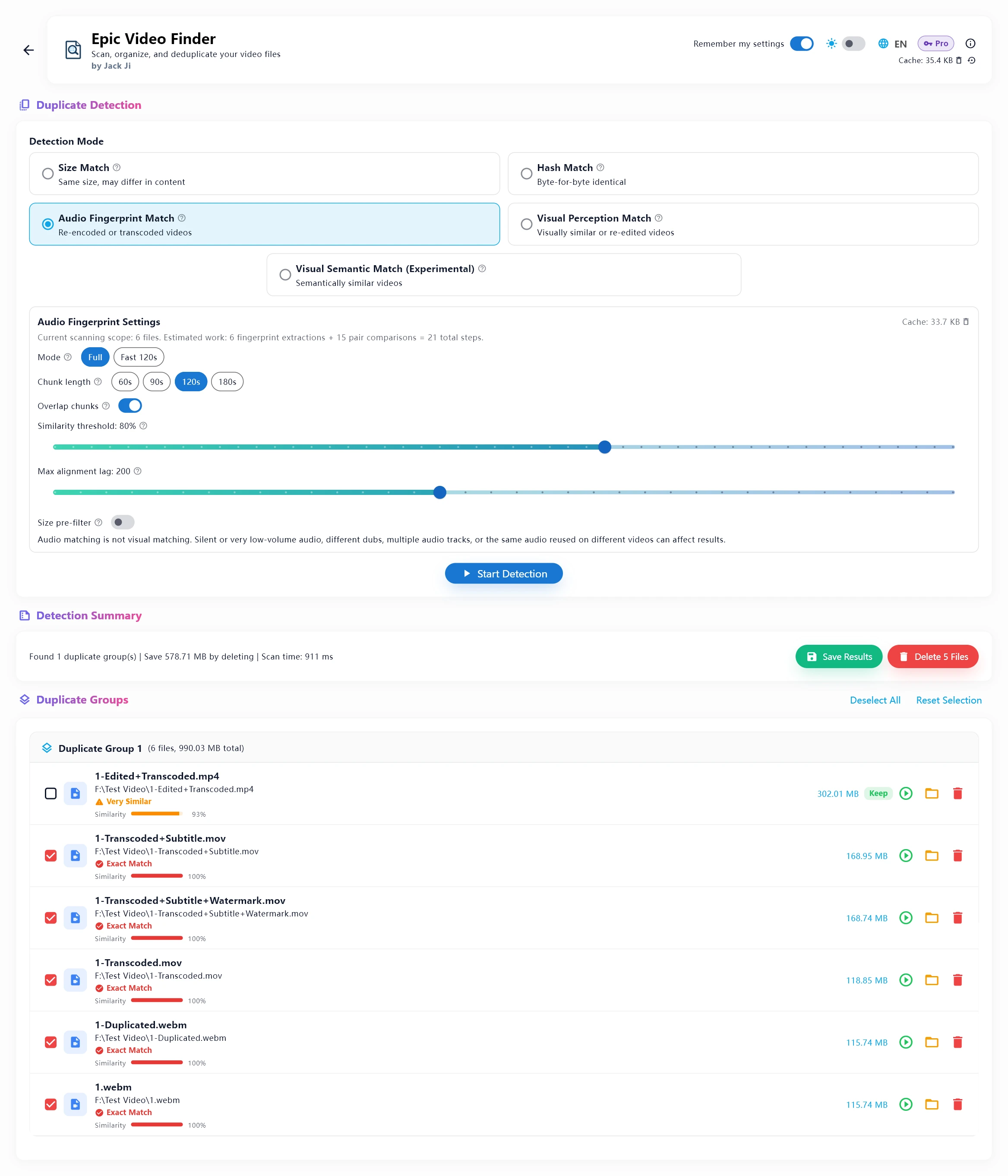
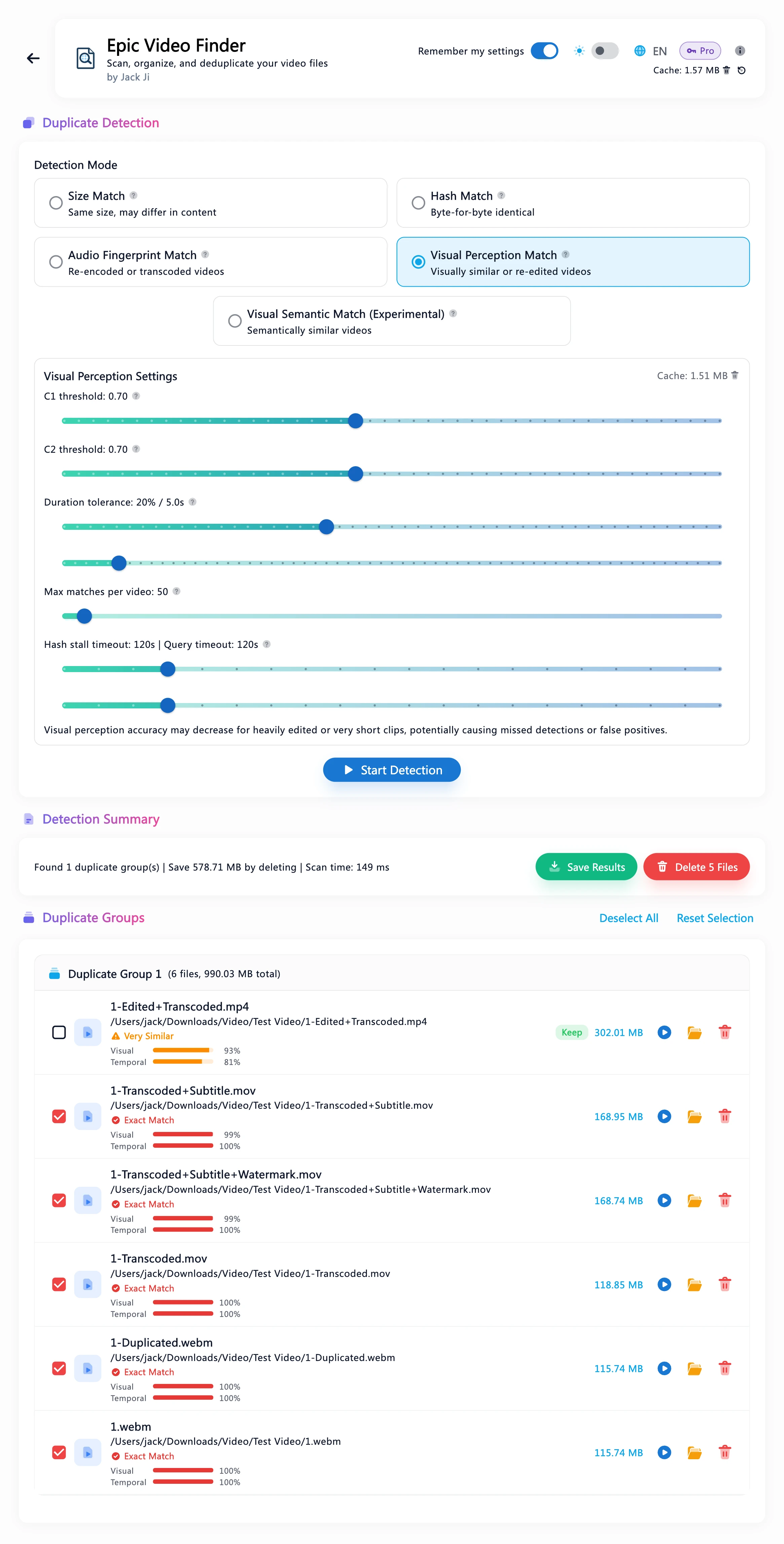
File size, SHA-256, audio fingerprint, visual fingerprint — four layers of certainty before any verdict.
Real-time progress bars, format distributions, interactive charts — every scan tells you exactly what it found.
Rewritten ground-up in Flutter/Dart. 10× startup, 100× scanning — speed baked into the architecture.
No network calls, no cloud sync, no data leaving your machine. Deletions always go to the Bin.
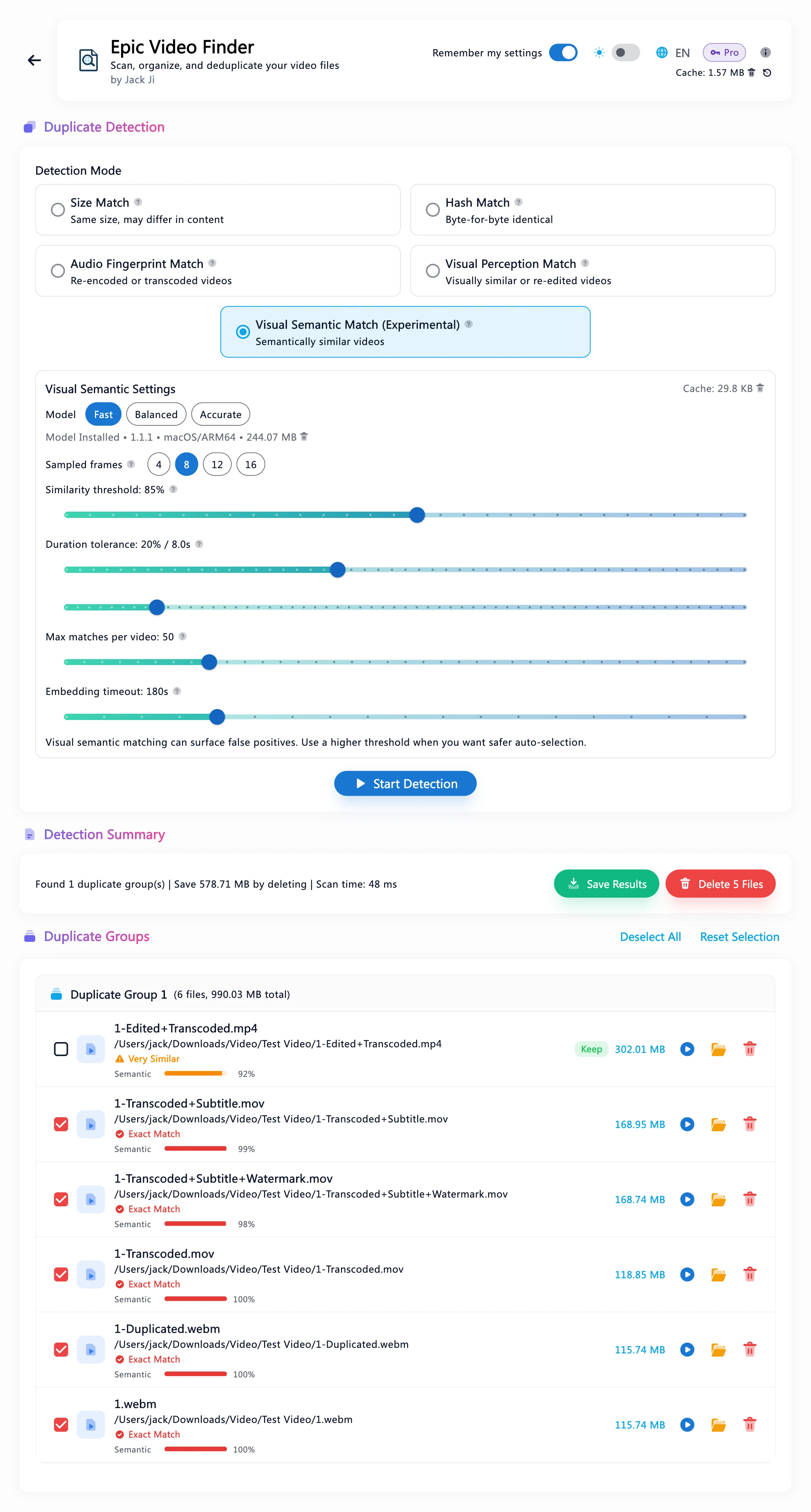
See it in action
Pricing
One-time purchase, lifetime access. One license key activates one device at a time.
Compare plans
What each method catches — see the FAQThe complete video toolkit
Use code AZ7QDVR8 at checkout
Frequently Asked Questions
Changelog
All-New Icons
The icons in the app are redrawn. Smoother motion and improved robustness.
Faster Audio Matching & Apple Silicon Native
Audio Fingerprint Match is much faster, and the bigger your library, the bigger the gain: about 5–150× on a first scan and 300–600× on repeat scans. Now native on Apple Silicon (new Intel Mac users: email inquiry@quantumfoamlabs.com for the previous installer).
Styled Installer
Opening the installer now shows a polished install screen — just follow the arrow and drag the app into Applications.
System Requirements & Reliability
Now requires macOS 14.0 and installs from a DMG. Smarter updates that respect your macOS version, plus crash-proof AI model installs with automatic recovery.
Stability & Refinements
Semantic Match now shows GPU status while scanning, and the app icon gets a fresh look.
macOS 27 Support & Faster Detection
Adds macOS 27 support. Faster detection across the board: ~17x faster hash matching, GPU-accelerated visual matching, and GPU-powered semantic matching.
macOS App Sandbox
Enabled macOS App Sandbox for enhanced security with bundled Node.js runtime, native addon symlinks, and native Swift trash support.
Codebase Refactor
Unified subprocess execution, platform path resolution, cache key generation, and concurrency helpers into shared utilities.
Detection Performance Optimization
Parallelized SHA-256 hashing, cached FFmpeg probes, increased detection concurrency, and eliminated redundant I/O across all detection modes.
Modern UI Redesign
Section headers redesigned with gradient text and floating card layout; HeaderPanel updated with gradient title and layered shadows for a modern, premium feel.
Cache Mechanism and Scan Progress Bar Redesign
Added per-file SHA-256 caching, clearer Audio Match cache visibility, and smoother repeat-scan progress.
New Semantic Recognition Models
Added Fast, Balanced, and Accurate semantic recognition options with per-model installs and a cleaner settings workflow.
Visual Semantic Match
Added a fifth duplicate detection mode with semantic visual matching (experimental feature).
Update Notification
Added in-app update notification.
Universal macOS Build
Added Intel Mac support with runtime architecture detection and Universal packaging.
Public Available
First public release with license key activation, three-tier licensing (Free/Plus/Pro), and macOS download.
macOS Native Release
First native macOS app for Apple Silicon with full cross-platform support and feature parity.
Audio Match Visual Display & Tolerance
Audio Match size pre-filter, visual display redesign with match level indicators, expanded tolerance settings.
Visual Match Display
Redesigned visual match display with color-coded icons and visual progress bars.
Visual Video Duplicate
4th duplicate detection mode based on visual fingerprints with two-stage matching.
Audio Settings Tooltips
Added hover tooltips for audio match settings with help icons.
Audio Duplicate Detection
Audio fingerprint-based duplicate detection.
Flutter Rewrite
Complete rewrite from Python/Flet to Flutter/Dart with Material Design 3.
Three-Level Navigation
Completely redesigned navigation with three dedicated views.
Performance Optimization
16x fewer read calls with optimized hash block size.
Manual Path Input
Manual directory path input with offline-first launch.
Save Duplicates to TXT
Export duplicate results to timestamped TXT files.
Video Duration Display
Video files display duration using Windows Shell properties.
Cache Management
Real-time cache size display with one-click clearing.
Duplicate Detection
Two detection modes: Very Fast (size-based) and Balance (SHA-256 hash).
Settings Persistence
Persistent settings storage via local JSON file.
Theme System Overhaul
New light theme with sky blue accents and centralized color system.
Custom Format Input
Custom format input field with thread-safe UI updates.
GUI Migration
Complete GUI rebuild using Flet framework with Material Design.
Bilingual Support
Added English and Chinese language support.
Initial Release
First version with video scanning capabilities.